What is Plume for Mac?
Plume is a free, open source Nextcloud client for macOS. It is a native SwiftUI app with no third-party dependencies, so it starts fast and stays light. Sign in to any Nextcloud server with the Login Flow in your browser (two-factor authentication works) or an app password; the app password stays in the Keychain and is revoked when you sign out.
Your Nextcloud in Finder
Plume adds your Nextcloud to Finder's sidebar. Files download when you open them, you can keep them downloaded, and edits made in any app are uploaded back to your server.
The app
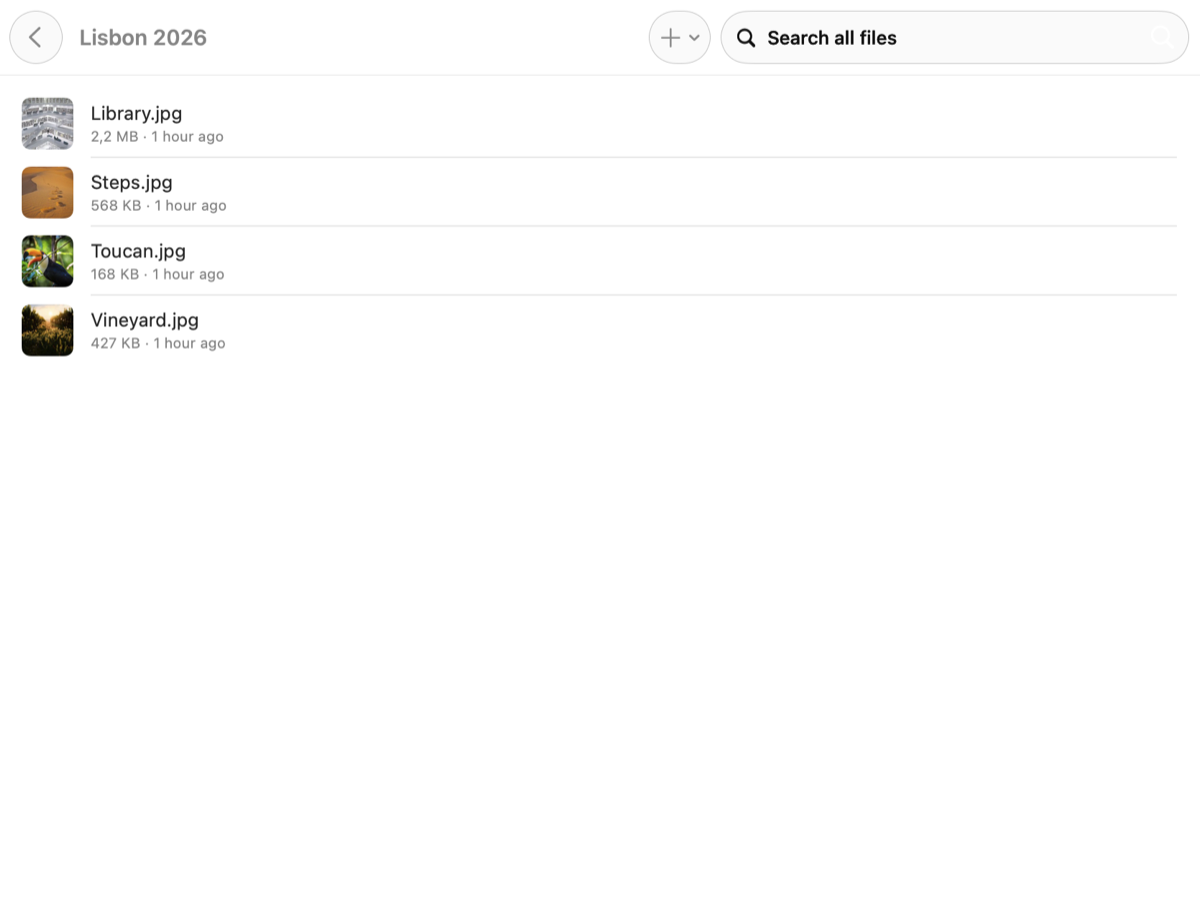
- A sidebar with your Files, your Favorites (synced with the server) and what you keep Offline.
- Instant folders from a local mirror of your folder tree, refreshed from the server in the background, with server thumbnails.
- Search as you type across your whole account, ignoring case and accents. Your files are also in Spotlight.
- Drag and drop files onto the window or the Dock icon to upload them; the share sheet and “Open in…” work too. Nothing is ever overwritten, and large files go up in resumable chunks.
- Quick Look for PDFs, images, video, audio and Office documents, or open a file in its default app, or reveal it in Finder. Changes sync back.
- Available offline: keep a file or a whole folder on your Mac.
Private by design
Plume connects only to your Nextcloud server, with Nextcloud's standard WebDAV and OCS interfaces. No analytics, no account of ours. Read the privacy policy.
Limits today
One account at a time, and changes made elsewhere reach Finder while Plume is open (no background refresh yet). There is no download yet: build Plume from source with Xcode 16 or later; the Mac build needs a development team for the shared Keychain and app group.