Your Nextcloud, native and instant.

Plume is a light, fast Nextcloud client for iPhone, iPad and Mac. Folders open at once, search finds any file as you type, and your files show up in Finder and the Files app.

Free and open source · iOS 18, iPadOS 18, macOS 15 or later · works with any Nextcloud server

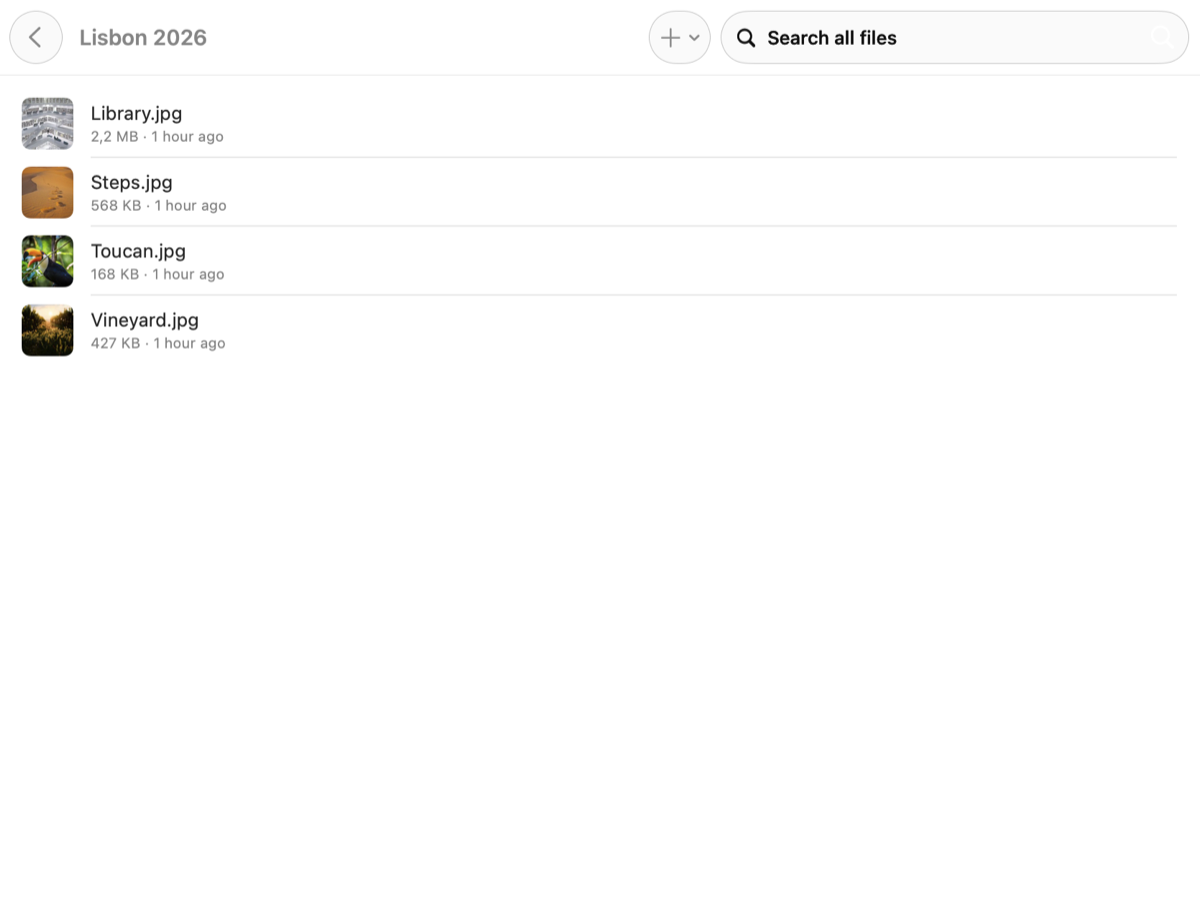
Plume on Mac: a Nextcloud folder of photos with their thumbnails, sizes and dates
Everyday

Your files, without the wait.

A native SwiftUI app with no third-party dependencies. It speaks the standard Nextcloud protocols (WebDAV and OCS), so it works with the server you already have.

⚡

Instant browsing

Plume keeps a local mirror of your folder tree: a folder opens right away, then refreshes from the server in the background. Thumbnails come from your server and are cached.

⌕

Search everything

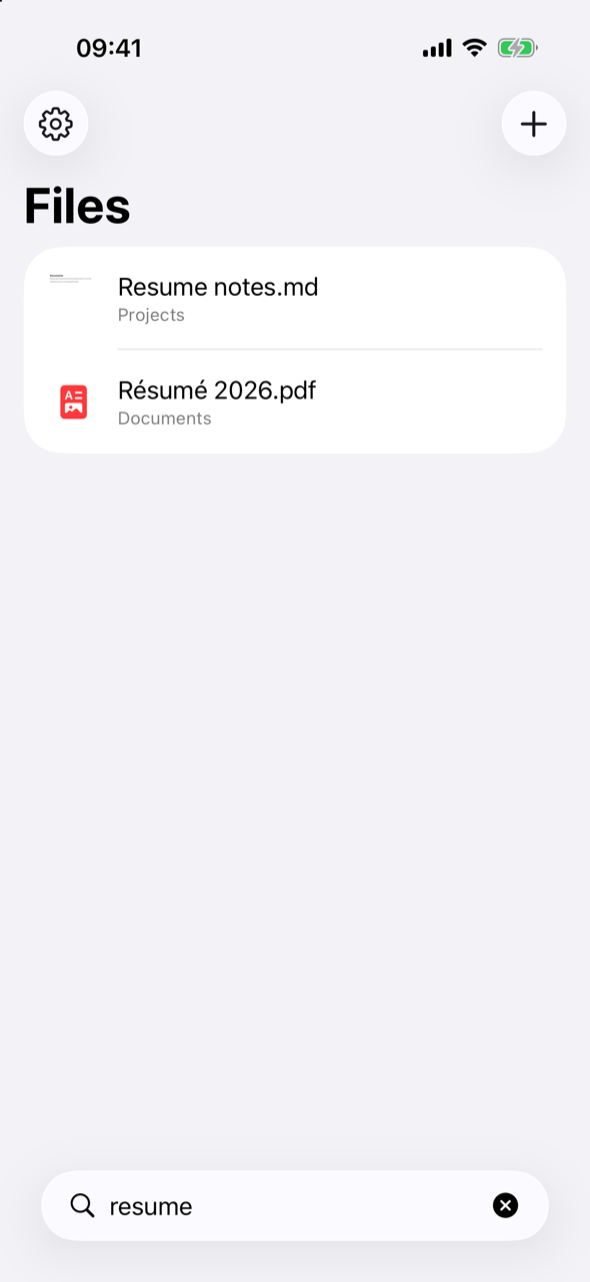
Every file and folder of your account, as you type, ignoring case and accents. Also in Spotlight.

▤

Finder and Files

Your Nextcloud next to iCloud Drive. Files download when you open them; edits from other apps are uploaded.

↑

Save from any app

Share sheet, “Save to Files”, “Open in…”, drag and drop. Uploads never overwrite a file.

↓

Available offline

Keep a file or a whole folder on the device. It stays up to date when it changes on the server.

◉

Quick Look, favorites, links

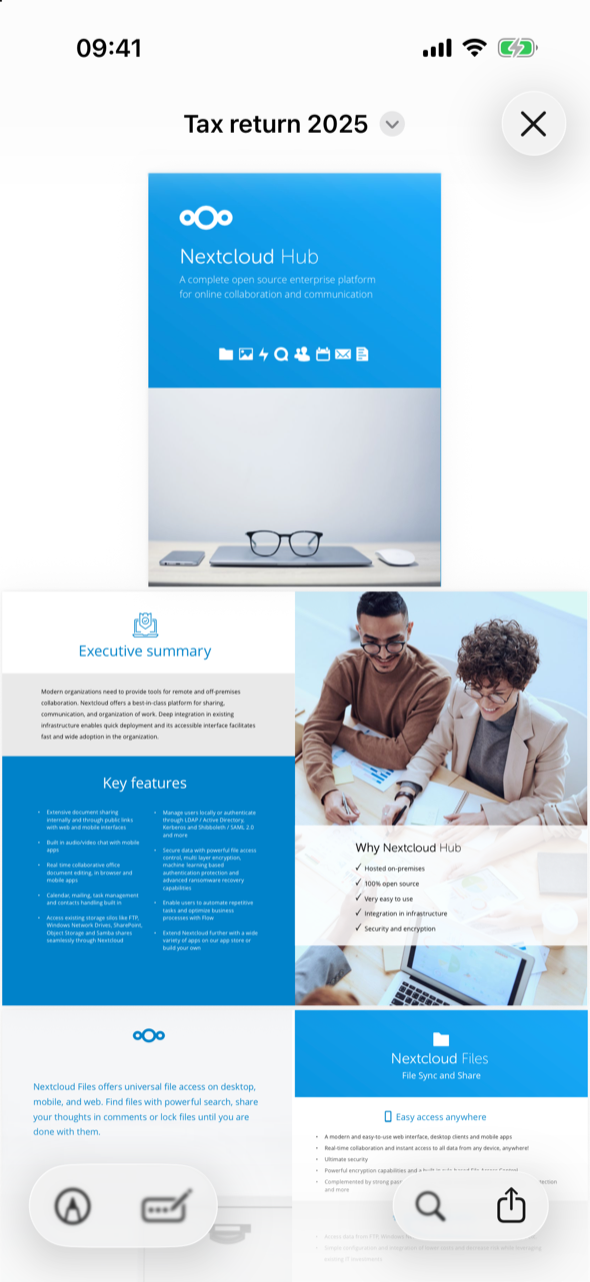
Preview PDFs, images, video, audio and Office documents. Mark favorites (synced with your server), share a public link, rename, or delete to the server's trash bin.

iPhone and iPad

One screen. All your files.

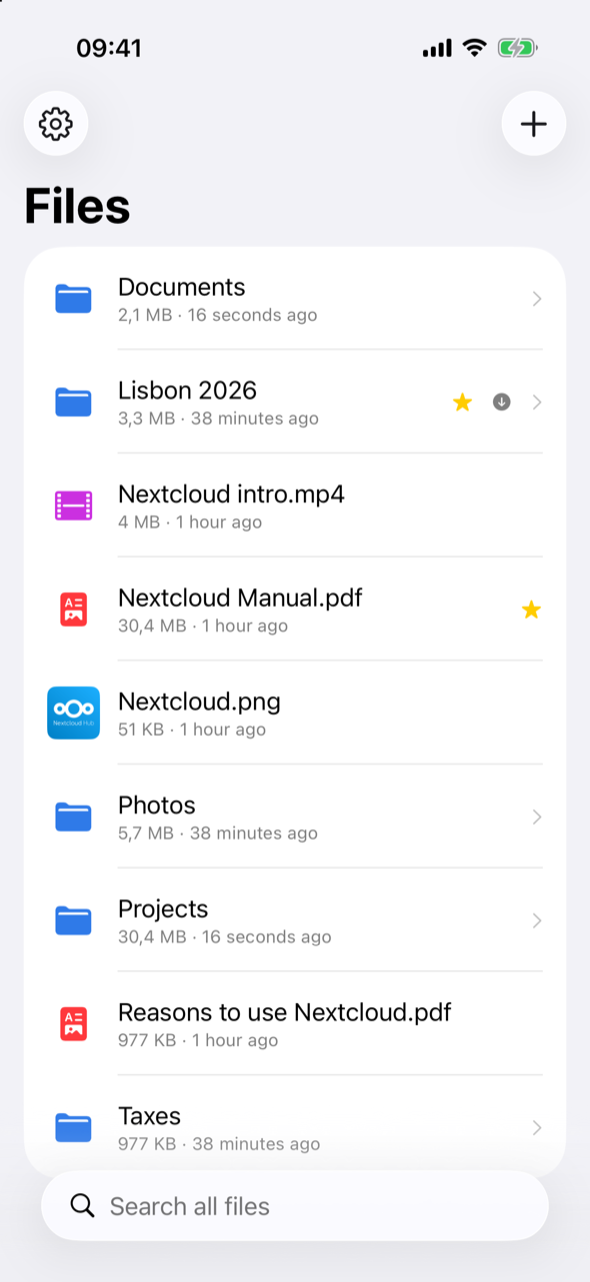
On iPhone, Plume is your folders and files plus a search field, with the settings behind a gear button. Nothing else to learn.

Plume on iPhone: the folders and files of a Nextcloud account
Plume on iPhone: search results for “resume”, accents ignored
Plume on iPhone: a PDF opened with Quick Look

Plume for iPhone and iPad · Plume for Mac

How it works

Sign in once. Then it's just files.

  1. Sign inEnter your server's address and approve Plume in your browser with Nextcloud's Login Flow (two-factor authentication works), or use an app password.
  2. Browse and searchPlume lists your folders and indexes their files, then keeps that mirror fresh from the server.
  3. Use it everywhereOpen files in Finder or the Files app, save into Nextcloud from any app, keep what you need offline.
Private by design

Only you and your server.

Plume has no account of its own, no analytics and no tracking. It talks to your Nextcloud server and nothing else.

Privacy policy

Open source

Free, and yours to read.

Plume is free software under the GPL-3.0-or-later licence. It isn't on the App Store yet: build it with Xcode 16 or later and XcodeGen, for the iPhone simulator without an Apple account, or for your Mac, iPhone and iPad with your own.

$ brew install xcodegen
$ git clone https://github.com/bonout/plume
$ cd plume
# your Apple team and bundle prefix
$ scripts/configure.sh <team id> <bundle prefix>
$ scripts/generate.sh
$ open Plume.xcodeproj